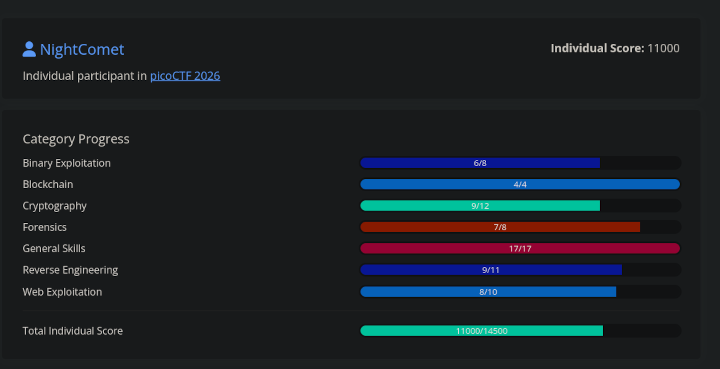
I took part in PicoCTF 2026, that happened between 9th March 2026 to 19th March 2026. I ranked at 570 globally and got a total score of 11,000 out of the maximum 14,500.
I didn’t plan on writing writeups for this one. But there was one challenge that was so good, that I had to write about it.
JITFP
Challenge Description
If we can crack the password checker on this remote host, we will be able to infiltrate deeper into this criminal organization. The catch is it only functions properly on the host on which we found it.
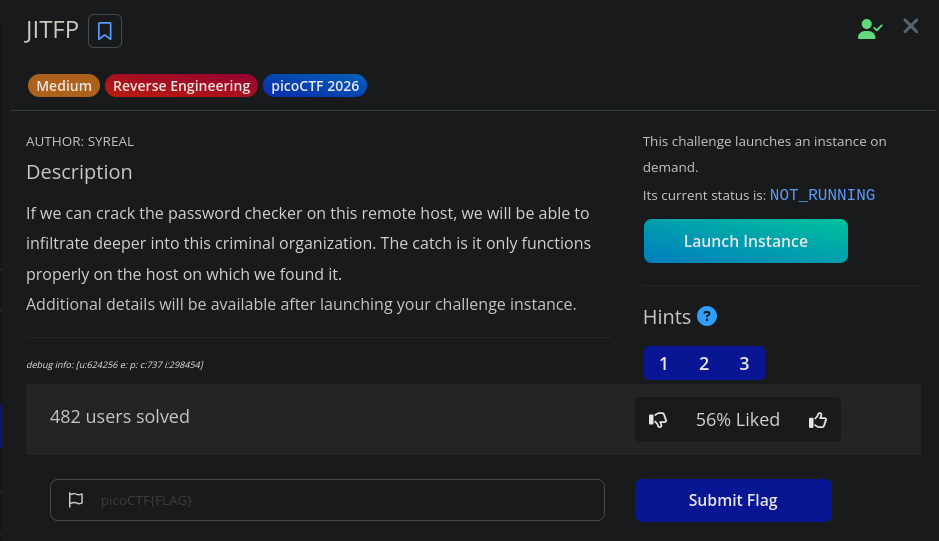
The challenge is now moved to picoCTF gym, you can access it here. In the live CTF, this challenge was for 500 points, which was the highest among all the other challenges (except for other 500 point challenge, of course).
Solution
The description doesn’t tell us much or doesn’t give us any files to actually reverse engineer binaries. However, there is an instance associated with the challenge. Launching it gives you credentials for a SSH login on a remote host.
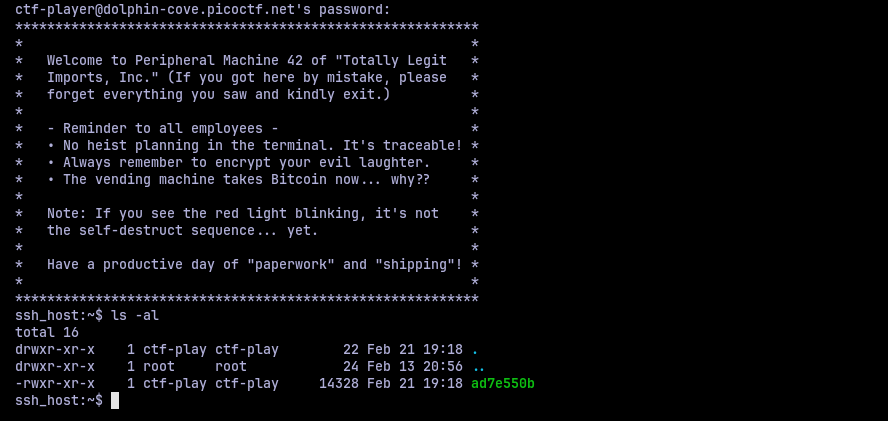
Logging in, we are greeted with, uh well, a message. And put in a directory with only one binary. Assuming this is the target binary, I started to poke it.
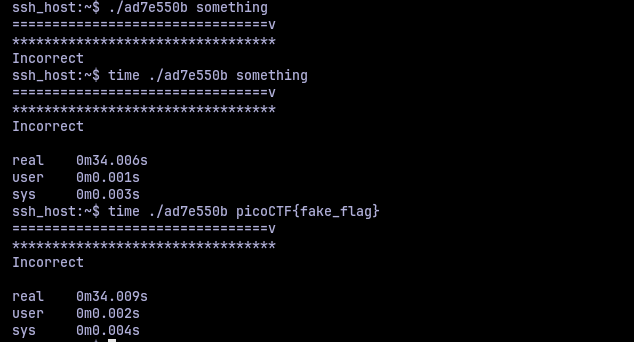
The binary takes an arguement input and does something with it. There is a loading bar like output that takes some time to complete before printing the incorrect message. I wanted to time it, so I used time utility. It takes around 33 seconds to run once. This brings a thought, is this a timing side channel attack scenario? Perhaps if I give a correct character at a position it would speed up or slow down? I tried it but it still ran the same 33 seconds.
So to move further, we have to pop open and look under the hood. Since the binary was in a SSH instance, I used scp to make a local copy and then used it to analyze it locally. I loaded it in Binary Ninja and the main function looked like this:
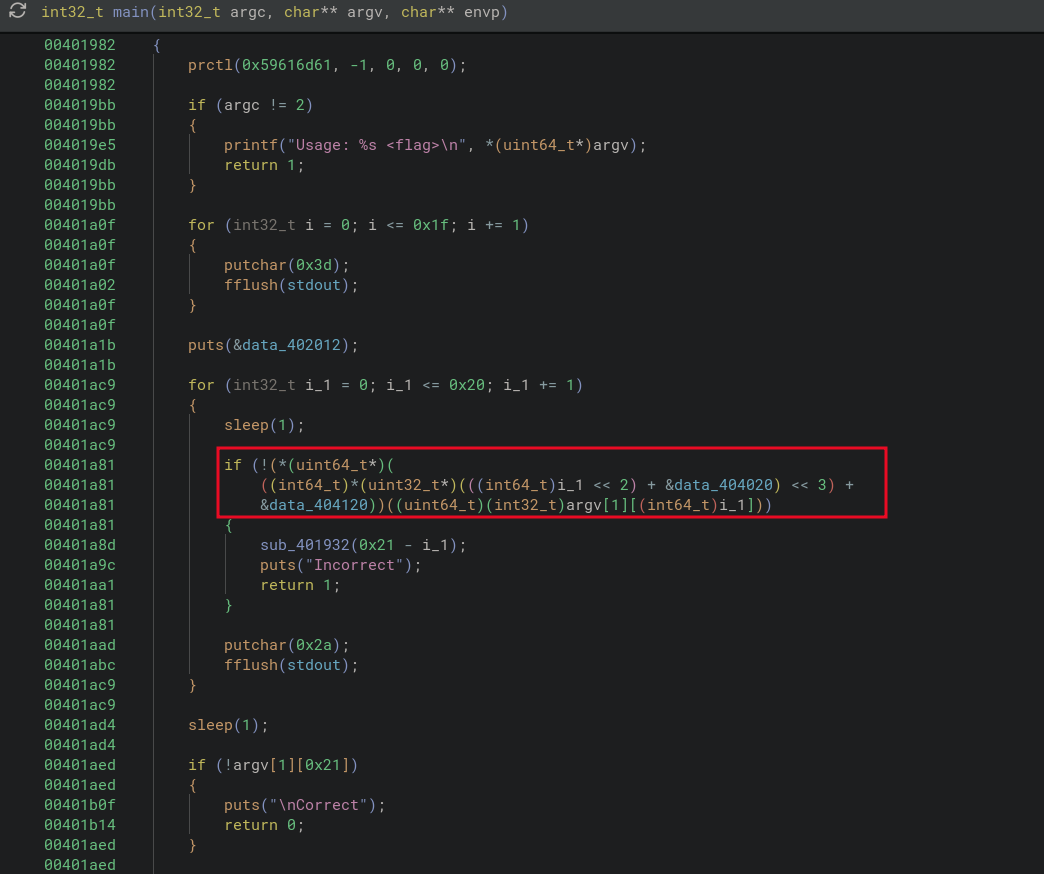
We have a peculiar looking if statement, where if the condition is false, it calls another function, prints out “Incorrect” and then exits. The other flow is what we should be doing to get the correct message. We still need to know what the function sub_401932 does.
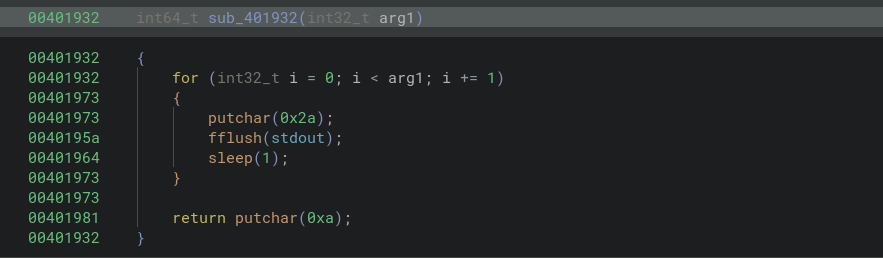
So basically, it prints out asterisk, sleeps and prints a new line and exits. Not that interesting except this is where the sleep happens.
Going back to the if condition, it didn’t make much sense to me, so I decided to get a second opinion from IDA (yes I have multiple decompilers, they are all awesome in their own way).
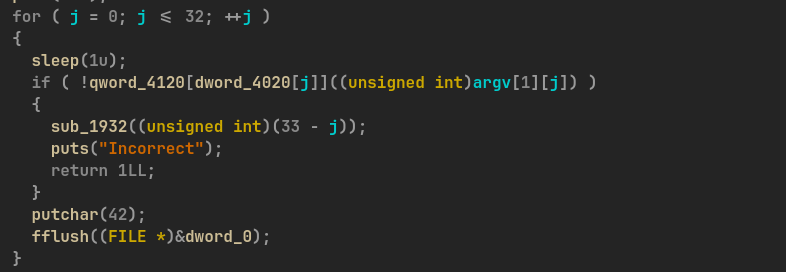
Now that is better. So we have one memory array that index into another memory array which has function pointers because whatever is in there is used to call a function, so the most sensible conclusion is that they are function pointers. So let’s take a look at the memory arrays. At the first layer memory array, that index into the function pointer array we have:

So we have a bunch of indices indeed. Looking at the second array, the one which should have function pointers, we have:

That don’t look like much. So I took a look at the same address in Binary Ninja:
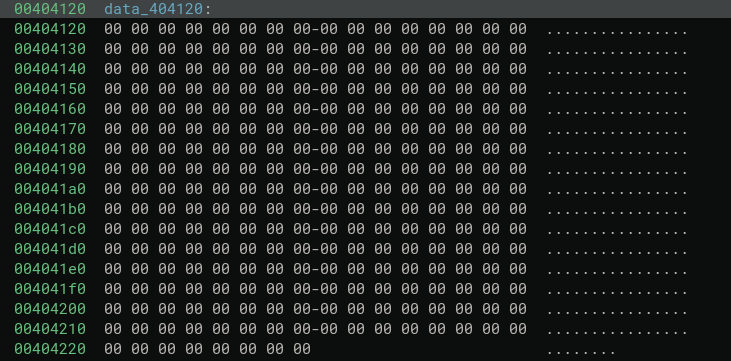
There is nothing here. So I started to look around for other things.
Another important detail I found was that in the binary there are a lot of functions like these:
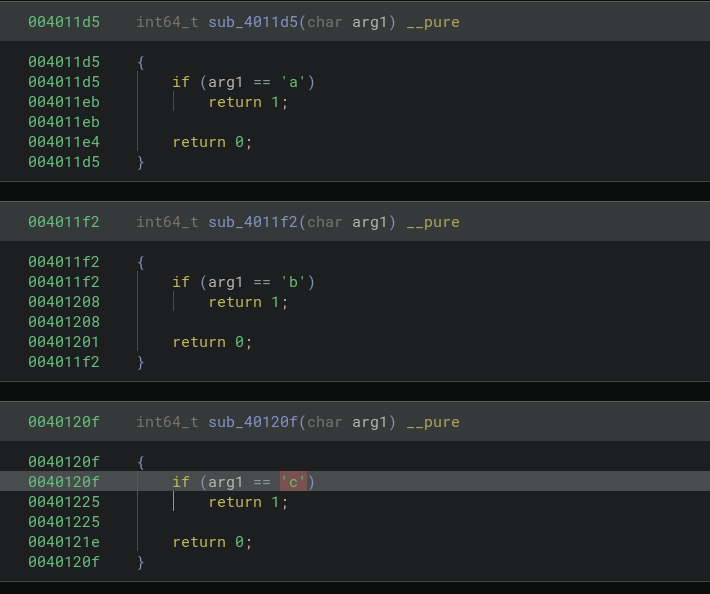
There were functions like these for all the lowercase and uppercase alphabets, digits, underscore and curly braces. So these functions basically check if the given character is the one there are validating or not. So it is logical to assume that, these are the functions that would be present and called from the function pointer array.
However that is empty. Or is it just uninitialized? Perhaps the function pointers are populated at runtime only? And then the title suddenly made sense, “Just In Time Function Pointers”, JITFP. So I just have to dump whatever that memory is in runtime and get the functions pointers. Easy, right?. Or that’s what I thought. But no, I can’t even run the thing in my local machine

Now, this shouldn’t really come as a surprise, because the description of challenge literally tells that we can only run it on the remote machine. So I have to rely on any debugging tools on the remote machine.
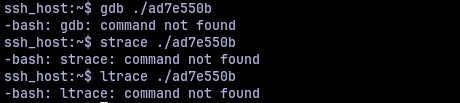
So, in terms of tools, there was none. Hence, the question became “how can I dump a memory of a live running process?”. Yes, the procfs at /proc. Every process’s has it’s mapping of memory at /proc/<pid>/maps and actual memory contents at /proc/<pid>/mem. So I opened two SSH shells into the remote machine with tmux and saw if I could access the procfs.
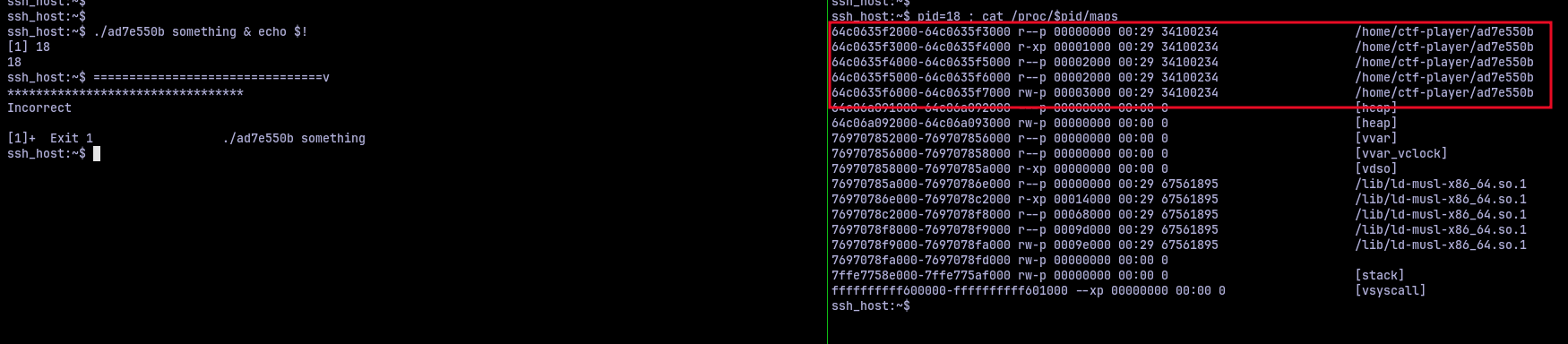
I could. Now we just have to dump the memory contents into a file and analyze it. Turns out the file system is read-only. Great. So I thought of redirecting the memory to xxd utility, copying the hex dump and then analyzing it. But before I could go further I wanted to check what kind of protection this binary has. Thankfully, checksec was installed.

We got PIE, Position Independent Executable. But this shouldn’t really be a problem as PIE just randomizes the base address of the virtual memory. If we had ASLR, then it would have been hell, because the entire layout of the virtual memory would be randomized, but thankfully no.
Now all I had to do was put together a bunch of commands that would take the /proc/<pid>/maps as input and dump the required memory. Since the memory we are interested is in 0x4120, the content would be present at base + 0x4120. We only need to read 264 bytes of information because that’s how long the function pointer array was. Put these together, I had this script to dump stuff:
./ad7e550b aaaa & pid=$!;
base=$(cat /proc/$pid/maps | grep -m1 "r--p 00000000" | cut -d'-' -f1);
target=$(printf "%d" $((16#$base + 0x4120)));
dd if=/proc/$pid/mem iflag=skip_bytes,count_bytes skip=$target count=264 2>/dev/null | xxd -p;
This gave an output like:
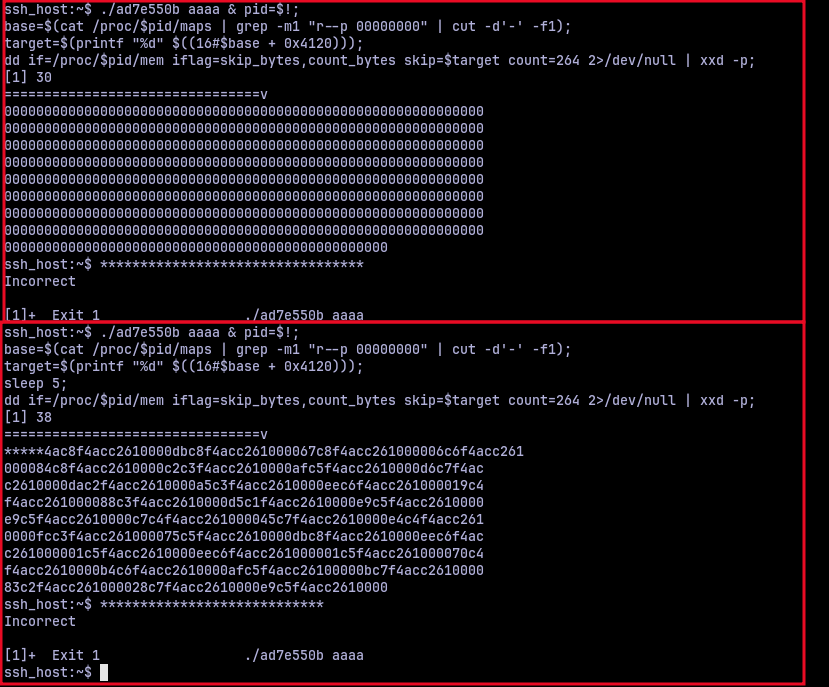
If I dumped the memory immediately, it is still uninititialized. So I had to add some sleep command to get some actual output. Right now it doesn’t look like much, but these do actually look like function pointers from a binary. I put together a small python script to parse this and print me the function offsets.
data = "<dumped hex>"

ptrs = [int.from_bytes(data[i : i + 8], "little") for i in range(0, len(data), 8)]

base = 0x....

offsets = [p - base for p in ptrs]

for i, o in enumerate(offsets):
    print(f"idx {i}: offset 0x{o:x}")
This prints out the offsets that are given by the addresses in the hexdump.
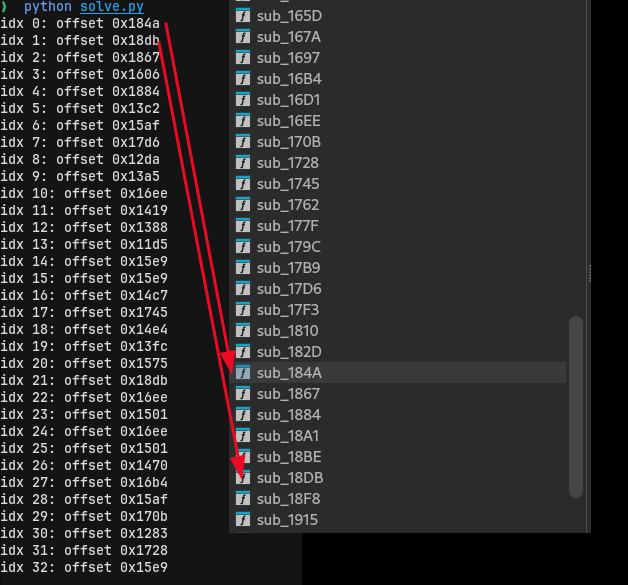
And good enough, these offsets correspond to actual function offsets in the binary. So the only thing now to do is index this offsets using the first memory array and see in which order, which functions are being called. I extended the previous script a little to get that part done.
data = "<dumped hex>"

func_map = {...} # A dictionary mapping which function offset correspond to which character

dword_4020 = [...] # The indices from the first memory array

ptrs = [int.from_bytes(data[i : i + 8], "little") for i in range(0, len(data), 8)]
base = 0x...
offsets = [p - base for p in ptrs]
flag = []

for idx in dword_4020:
    flag.append(func_map[offsets[idx]])

print("".join(flag))
Executing this gave:

Now that does not look like a flag to me. I checked my scripts and other things, everything seemed to be right. So I decided to do the same process one more time. And it gave me:

An entirely different output. But why? I did everything the same, except for one thing. I adjusted the sleep duration in bash from 5 to 2, thinking I need to read the memory early. At this point I had no idea what to do and I almost gave up. It wasn’t until later it struck me, “what if the entirety of the function pointer array changes every second?”. That would mean that only one memory address at a point of time would be the right one, the rest are just fillers.
I modified the bash script I used to extract the memory from procfs as:
./ad7e550b aaaa & pid=$!; i=1; cat /proc/$pid/maps;
while [ $i -lt 35 ]; do
  base=$(cat /proc/$pid/maps | grep -m1 "r--p 00000000" | cut -d'-' -f1)
  target=$(printf "%d" $((16#$base + 0x4120)))
  dd if=/proc/$pid/mem iflag=skip_bytes,count_bytes skip=$target count=264 2>/dev/null | xxd -p
  i=$(($i+1))
  sleep 1
done
This dumped the memory address 33 times. I put 35 just to be sure, in case. So I put all those hex dumps in a text file and modified my python script to:
func_map = {...} # A dictionary mapping which function offset correspond to which character

dword_4020 = [...] # The indices from the first memory array

def parse_dump(line):
    hex_str = line.strip().replace(" ", "")
    data = bytes.fromhex(hex_str)
    return [int.from_bytes(data[i : i + 8], "little") for i in range(0, len(data), 8)]

lines = []
with open("dumps.txt") as f:
    for _ in range(33):
        l = []
        for _ in range(9):
            l.append(f.readline().strip("\n"))
        lines.append("".join(l))

base = 0x...

flag = []
for second, line in enumerate(lines):
    if second >= len(dword_4020):
        break
    ptrs = parse_dump(line)
    idx = dword_4020[second]
    ptr = ptrs[idx]
    offset = ptr - base
    char = func_map.get(offset, "?")
    flag.append(char)
    print(f"second {second:02d}: idx={idx:#x} offset={offset:#x} char={char}")

print(f"\nFlag: {''.join(flag)}")
Now, there is a bit of a timing requirement to this challenge, as the first time I ran it, it was some random output. But when I ran it again, it worked. I got:
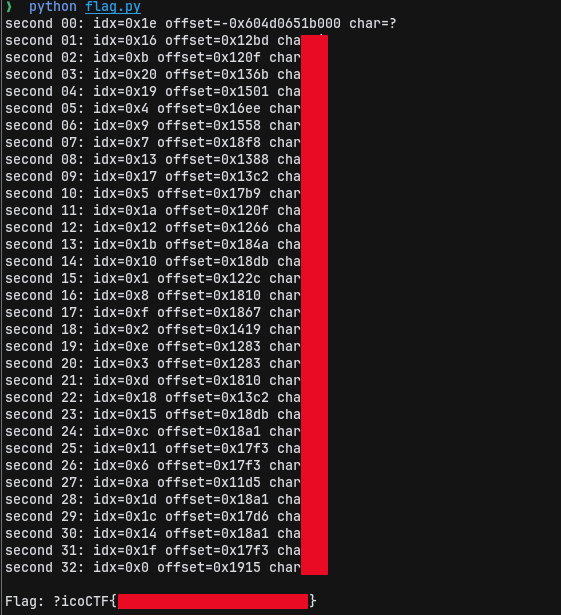
I still didn’t get the ‘p’ in ‘picoCTF’ for some reason, but I could fill it, submit it and get the points. This was such a cool challenge, that I had to rethink everything again and again and again. And the part where the function pointer array getting randomized for every second execpt for the right index was absolutely devious. Loved it.